
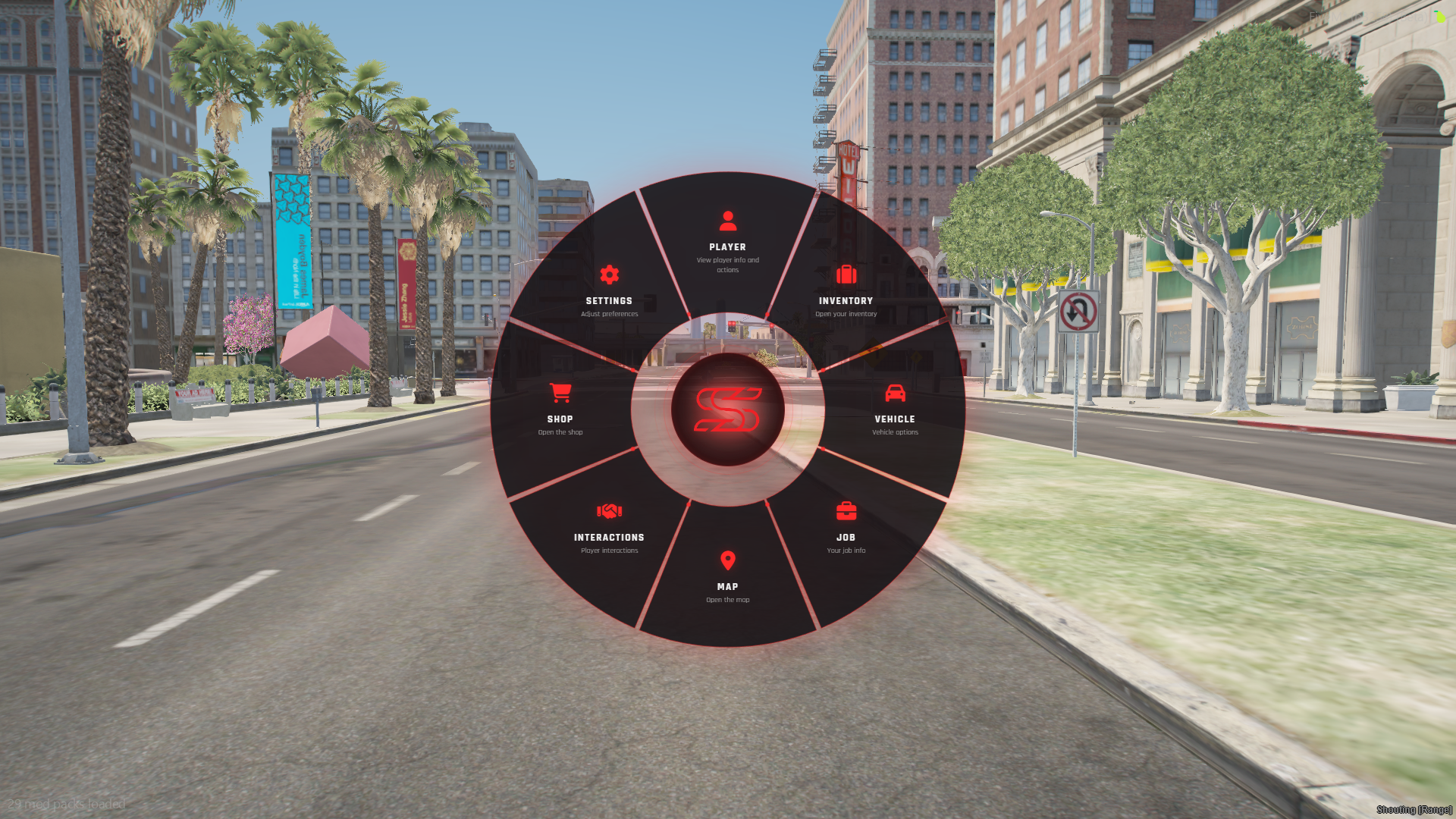
SCS Radial Menu
The fully customisable radial menu your players will actually use.
A sleek 8-slot radial menu with nested submenus, job-based actions, and a built-in editor where every player builds their own shortcuts and styles the wheel to their taste. It works on Qbox, QBCore and ESX, with automatic framework detection.
Why SCS Radial Menu?
Give players control. Players open /radialmenu and build their own shortcut folders with custom names, icons and commands, so everyone gets a menu that fits their playstyle.
Make it yours. Change the key, the layout, the icons, the colours and the notifications, all from one config file. No code edits needed.
Built for roleplay. Job actions load automatically from the database by job and grade. Add a police, EMS or mechanic menu with a single SQL row.
Features
- 8-slice radial wheel with smooth hover effects, icons, titles and descriptions
- Unlimited nested submenus with a breadcrumb trail
- Job actions from the database, filtered by job and minimum grade, with a config fallback
- In-game player editor to create folders, add actions and pick icons
- Per-player appearance: accent colour (presets or custom hex), menu size (50-150%) and opacity
- Hold-to-open or press-to-toggle, with a rebindable key
- 4 action types: command, client event, server event and export
- Save to MySQL or local storage, your choice
- Notification bridge for scs-uikit, ox_lib, QB, Qbox, ESX, okok, native, or your own custom function
- Large Font Awesome icon library with an easy-to-edit list
- Developer exports to open or close the menu and read player data from other scripts
- Built-in vehicle handlers for engine, lock, doors, windows, trunk, hood and lights
- Input sanitising on player-created menus, with configurable limits on folders, items and name length
Requirements
- ox_lib
- oxmysql
- Qbox, QBCore or ESX (or standalone)
💬 Support Need help or custom development?
Open a support ticket through the Discord.